
sample studio+ by Lux Cache
a plugin, and an extension for 
A complete sample-pack studio, in your DAW or on its own. sample studio+ chops, processes and tags long recordings into finished, organised packs — automatically.
Lux Cache Full Access subscribers get 50% off — £19.50.
standalone + VST3 / AU · Ableton extension · macOS / Windows · see how it works

studio+ bundle
sample studio+ for audio, midi studio+ for MIDI — plugins and Ableton extensions both, lifetime updates.
sample studio+ turns one recording into a folder of named, tagged samples — and, run as the Ableton extension, a track of every slice laid out in your Live session. Smart slice detection, an automatable processing editor, a four-sample layerer and machine-learning filing — slice, design, layer, export, in one pass.
slice → design → layer → export
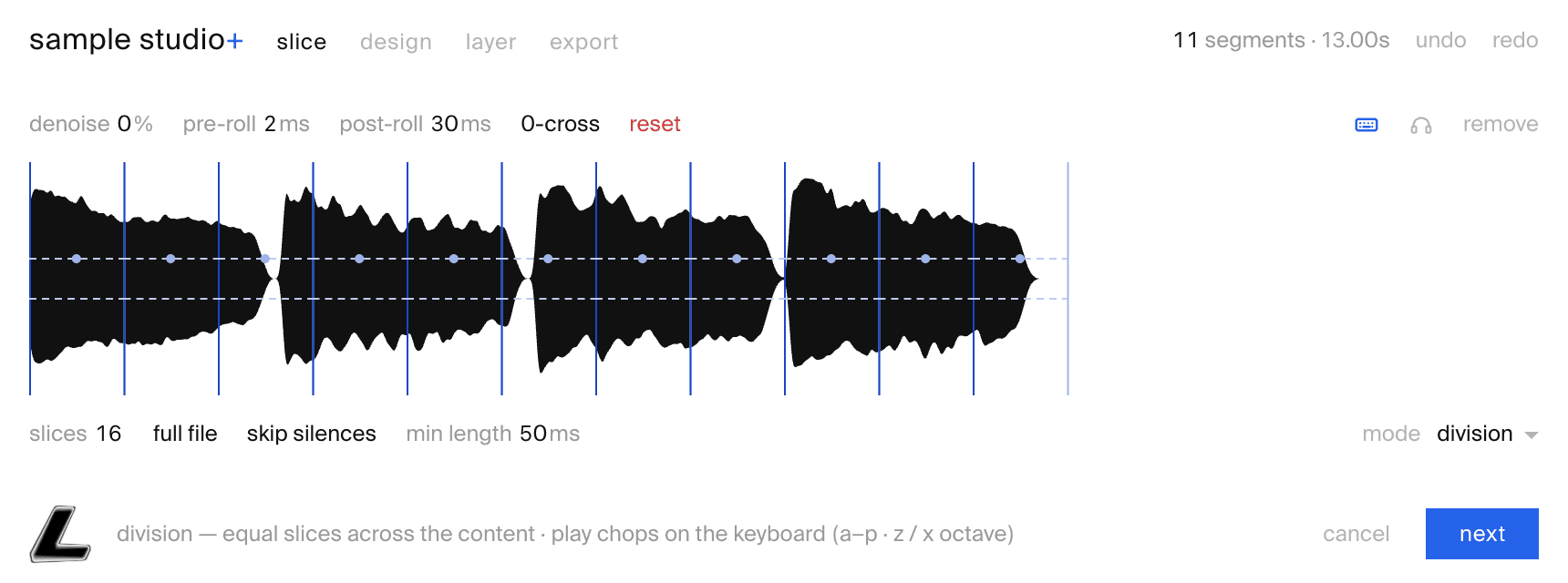
slice the recording
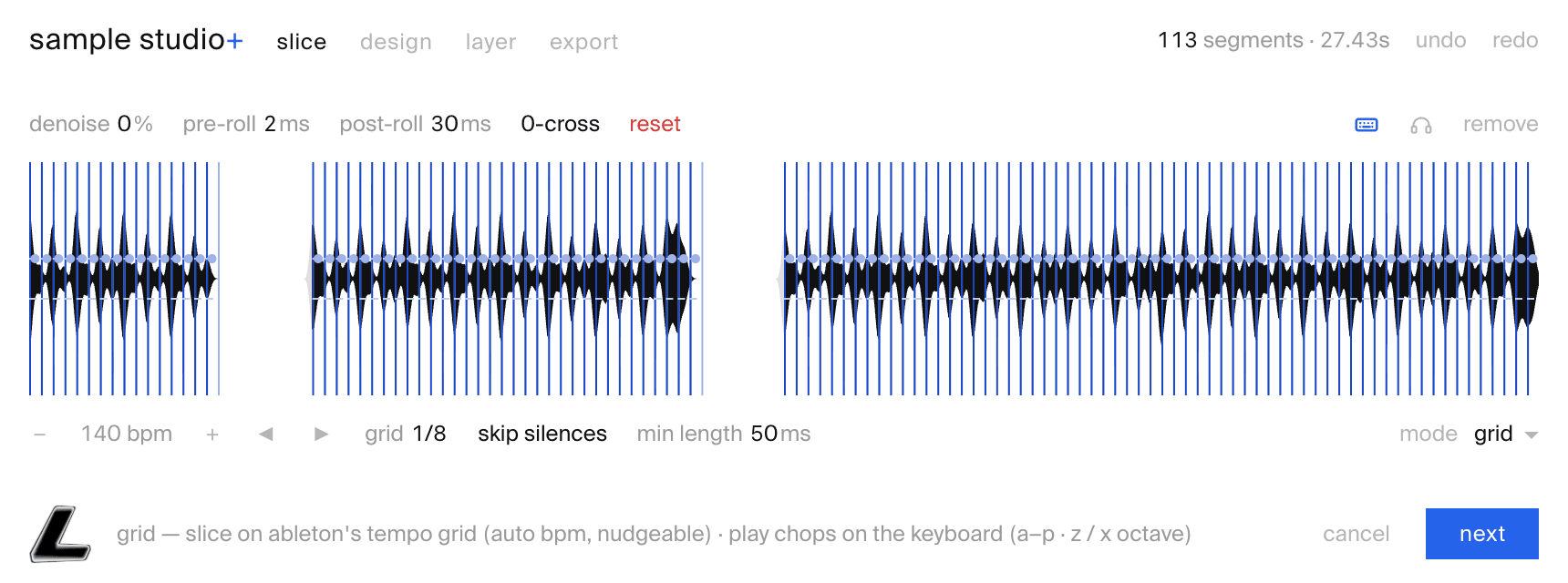
Threshold, transient, grid, division, warp-marker or manual modes. Drag a dashed line over any slice to tune just that window — its own threshold, sensitivity, or sub-divisions. High-fidelity waveform, manual cuts, audition from any point.
six ways to slice
Detection you can steer. Pick the mode that fits the material — then drag a line over any slice to fine-tune just that cut.
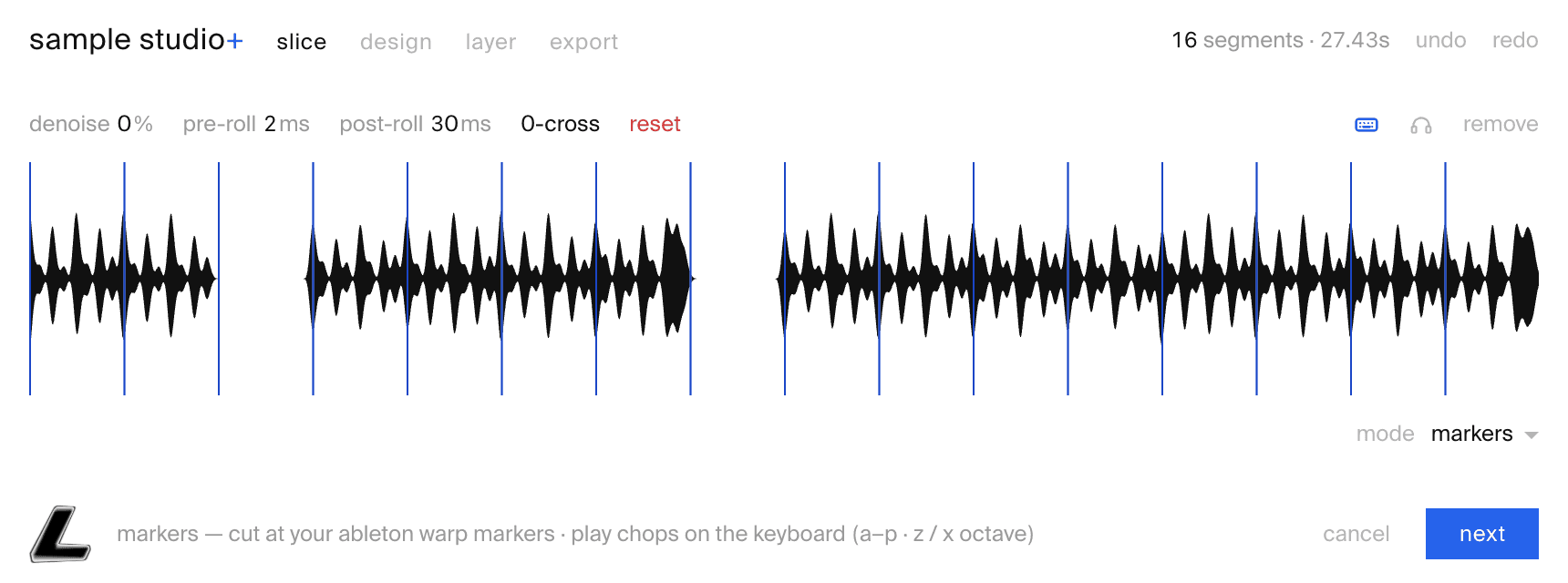
01 markers
cut at your Ableton warp markers
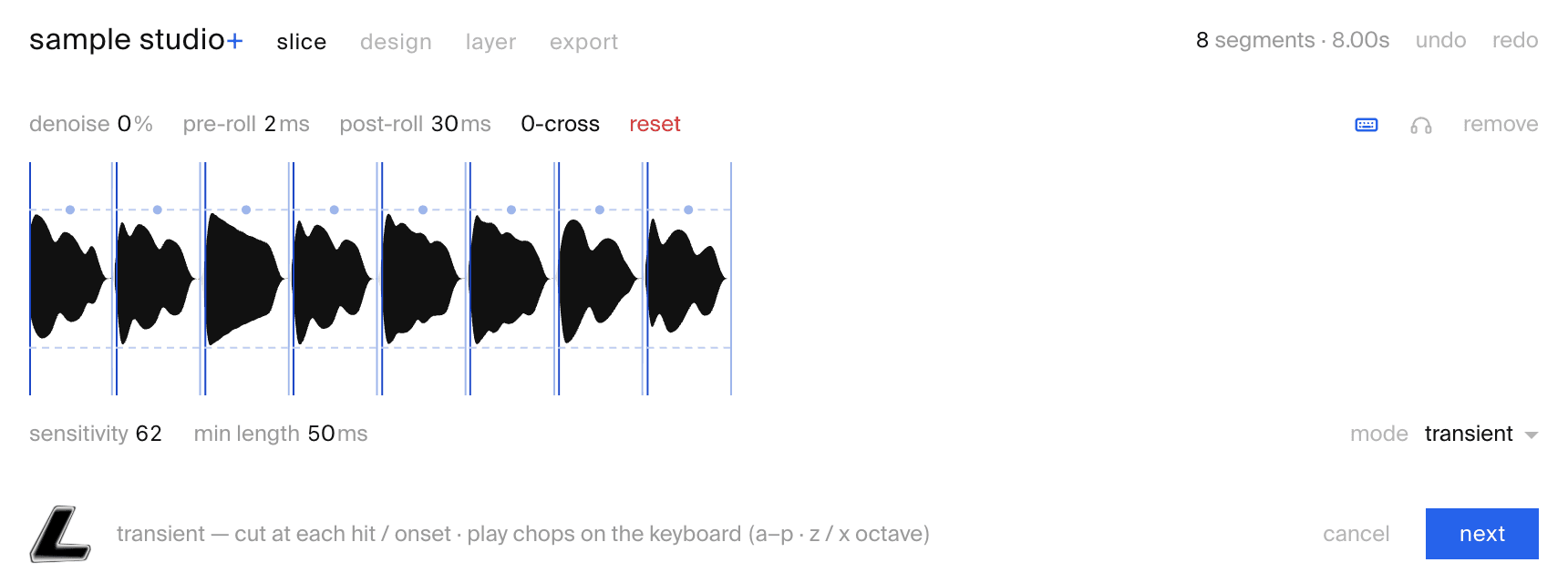
02 transient
cut at each hit / onset
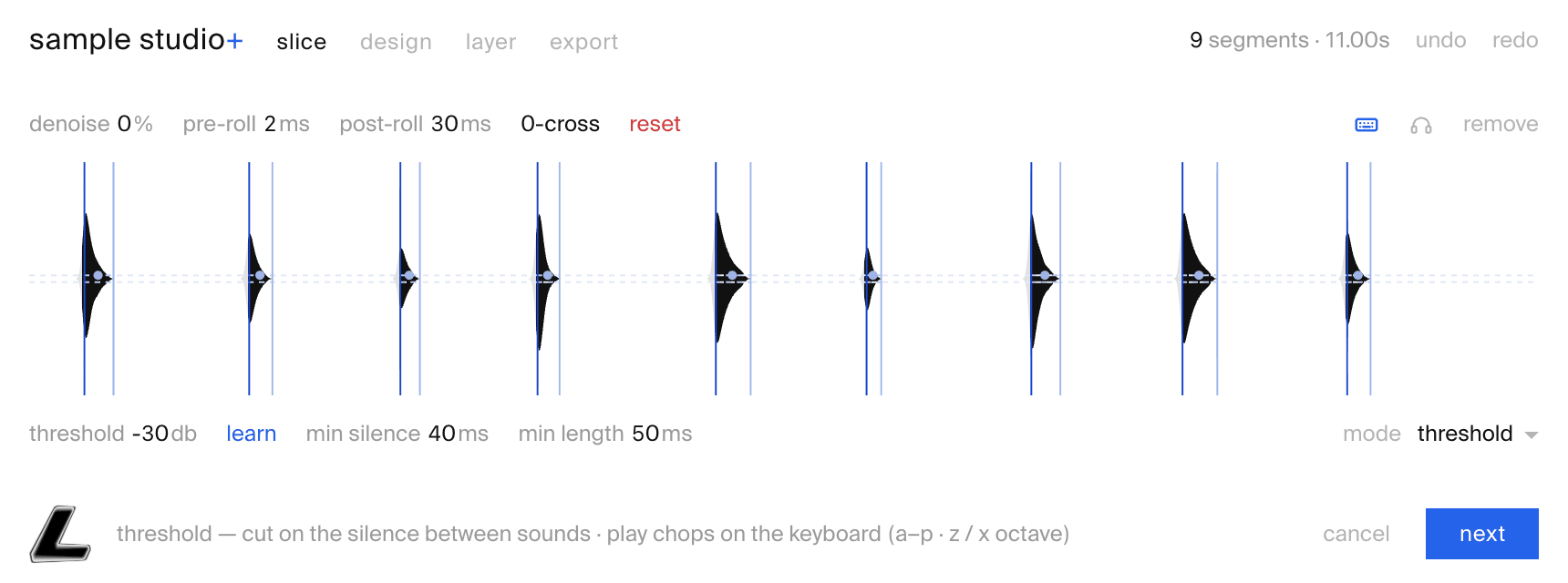
03 threshold
cut on the silence between sounds
04 grid
chop on Ableton’s tempo grid — auto-bpm, nudgeable
05 division
equal slices across the content
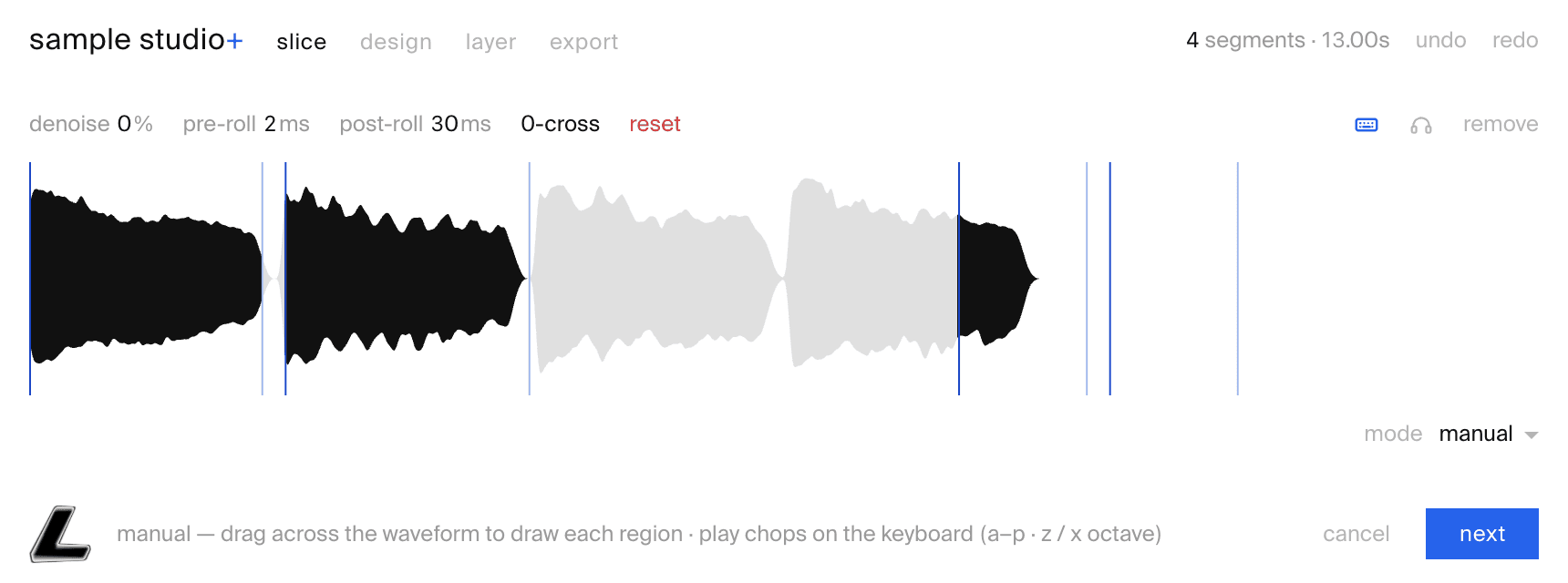
06 manual
draw each region by hand
eight ways to shape a sample
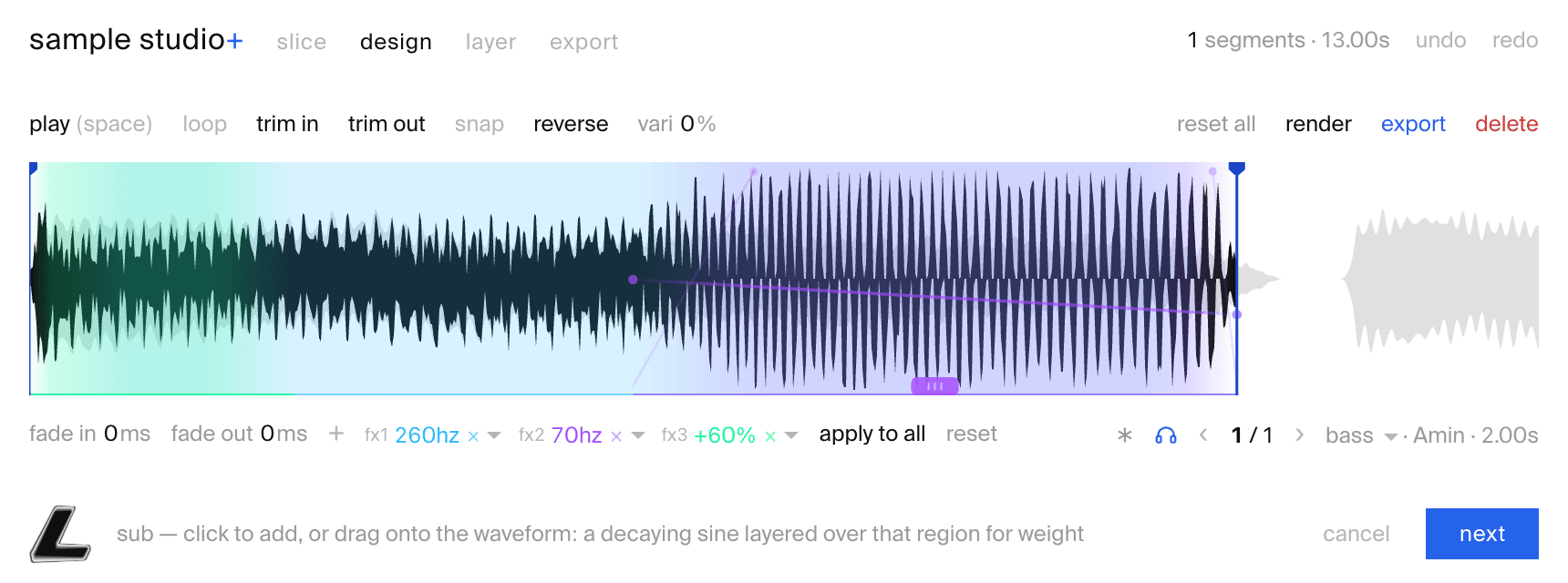
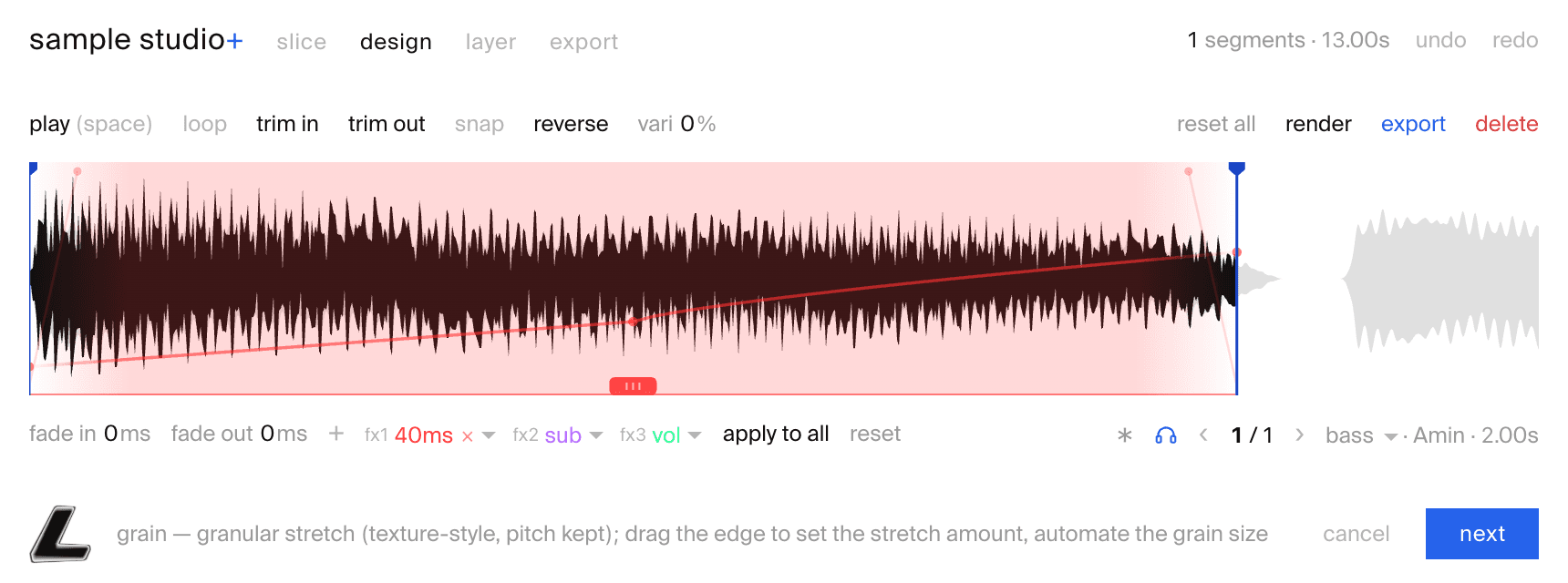
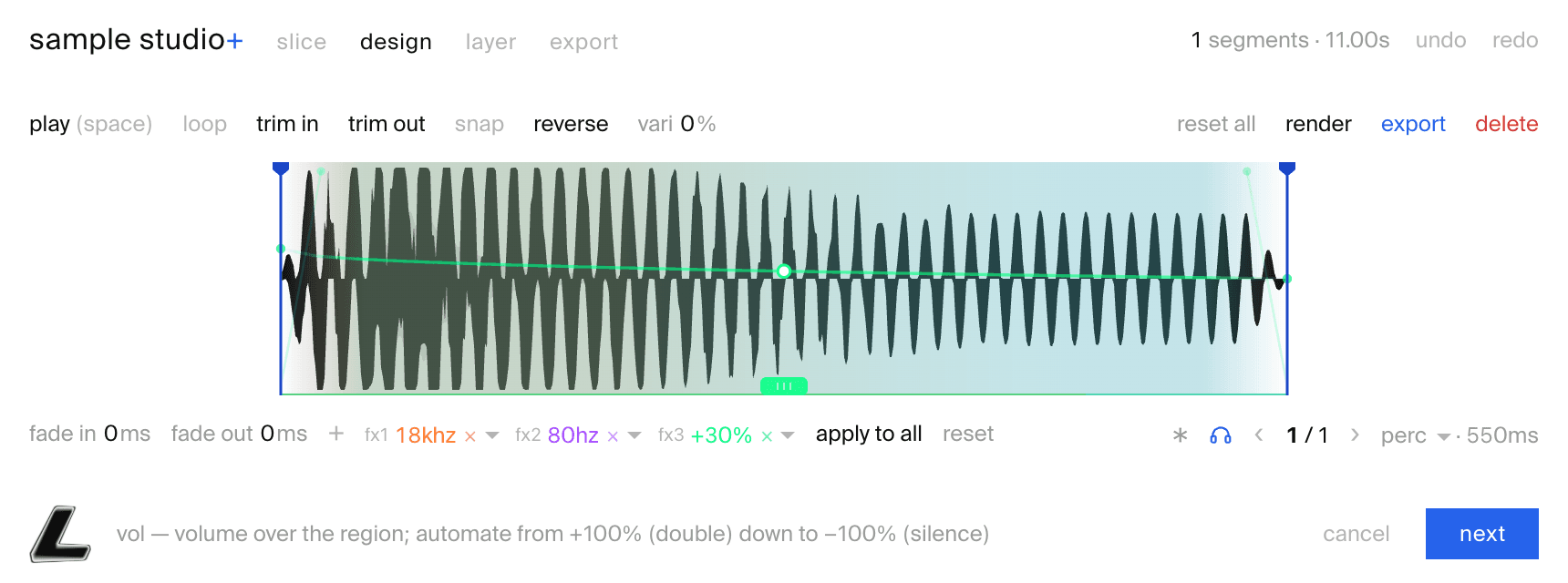
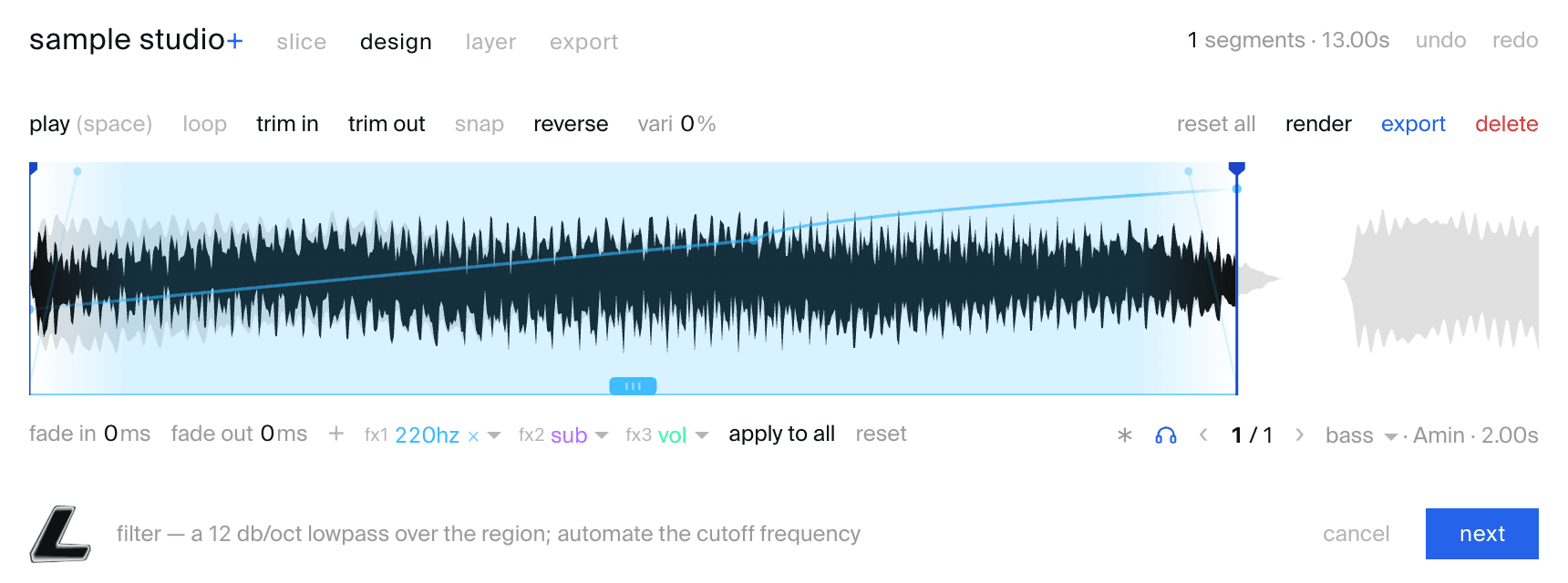
Drop an effect block on any sample — or the whole batch. Each one is fully automatable with breakpoint curves and renders live on the waveform, non-destructively.
vol
Volume over the region — automate it from +100% (double) down to −100% (silence).
sub
Lay a decaying low tone underneath the hit — weight without re-sampling.
sweep
A pitch sweep dropping in from the top — movement, shaped by hand.
filter
A lowpass over the region — automate the cutoff for sweeps and wobbles.
shift
A frequency shifter — metallic, inharmonic colour you can automate in Hz.
noise
A noise layer over the region — automate its level for air and texture.
pitch
Tape varispeed within the region, ±2 octaves — separate from the global vari.
grain
A granular stretch that holds the pitch — drag the edge to set how far it stretches.
or skip the window entirely
Dialled in once, reuse forever. In Live, right-click and pick “chop and export with current settings” — sample studio+ applies your sticky slice, design and naming, writes the whole pack, and drops the clips back in your Live session. Or “strip silences + normalise” to gate, level and lay every slice straight onto a new track. No window, no clicks.
it listens, then labels
As it chops, sample studio+ analyses every slice — so your pack comes out classified, keyed and tempo-tagged, with no manual filing.
sound detection
Every slice is classified — kick · snare · hat · clap · perc · bass · synth · pad · loop · fx — to name files and sort per-tag folders. A strong head start; fix the odd one in a click.
key detection
Tonal slices get their musical key read — Amin, F#maj — and written into the filename. Drums are skipped, and it only labels when it’s sure.
bpm detection
Tempo is detected from the audio — or pulled straight from your Live session when you run the Ableton extension — so looped material snaps to a musical grid and names itself with its bpm.
one tool, many features
smart sample detection
Threshold, transient, grid or warp-marker modes — then drag a line over any slice to tune its own sensitivity. Cut exactly where you mean to.
designed processing
Punch, sub and pitch, fade curves and trims — rendered live on the waveform. Shape one slice, or apply it across the whole batch.
non-destructive by design
Processing lives as a chain on each slice — your original recording is never touched. And what you preview is byte-identical to what gets written.
keyboard-first workflow
The whole tool is wired to the keyboard — chop, audition, step and export without reaching for the mouse. When speed matters, your hands never leave the keys.
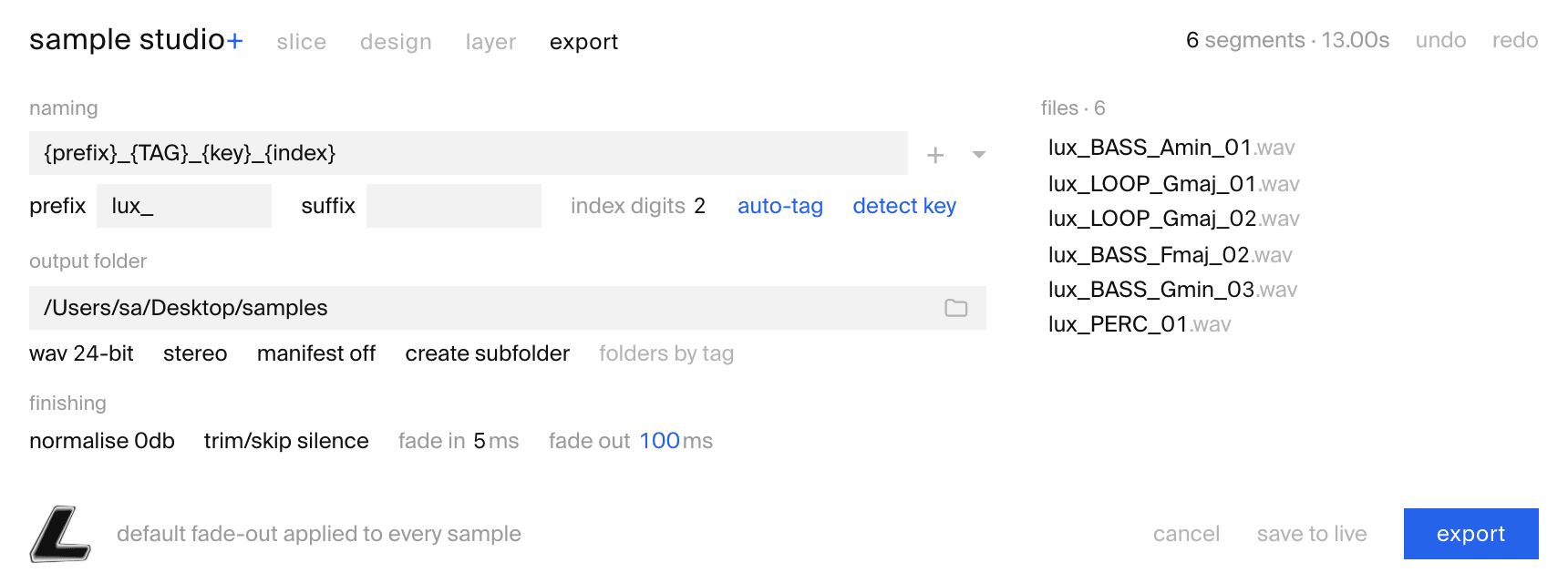
pack-ready exporting
Named WAVs (16/24/32-bit), per-tag folders and an optional manifest — plus, in Live, a track of every slice laid out in your session.
built from experience
The whole workflow, refined over a decade of building sample libraries at Lux Cache.
new in 1.2
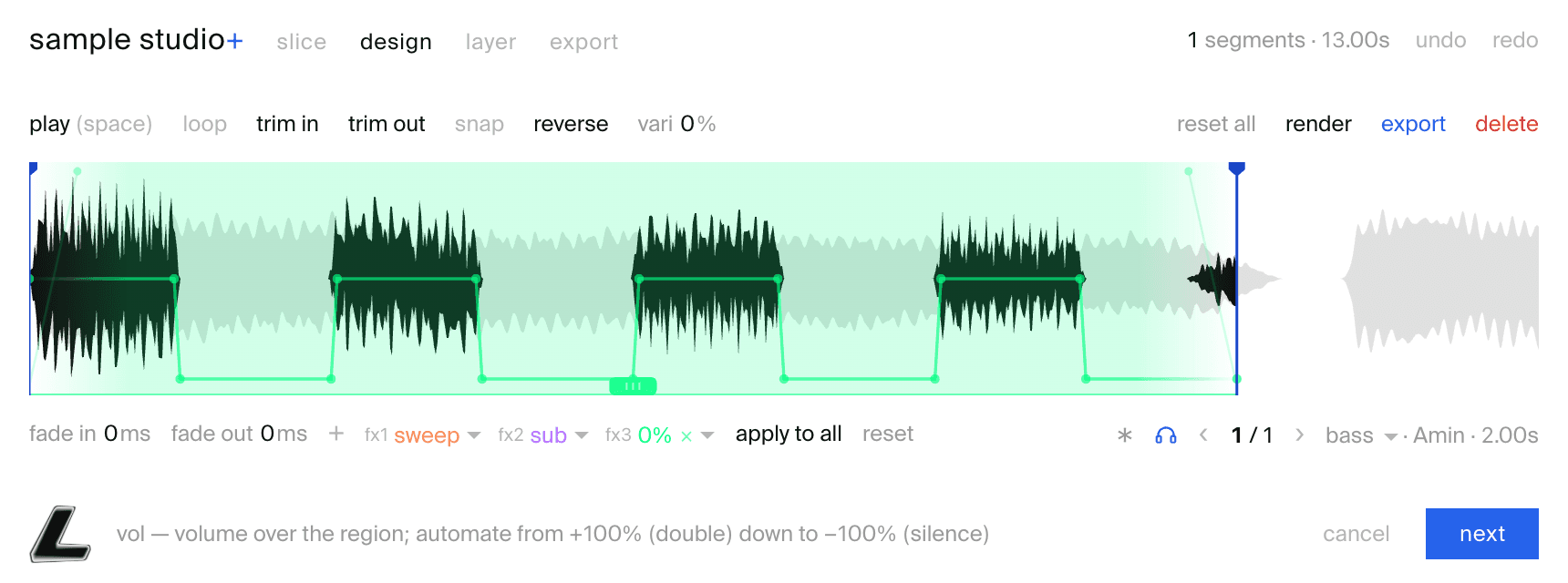
new processing
A redesigned engine — every effect block automatable with breakpoint curves, eight blocks deep, including a granular grain stretch.
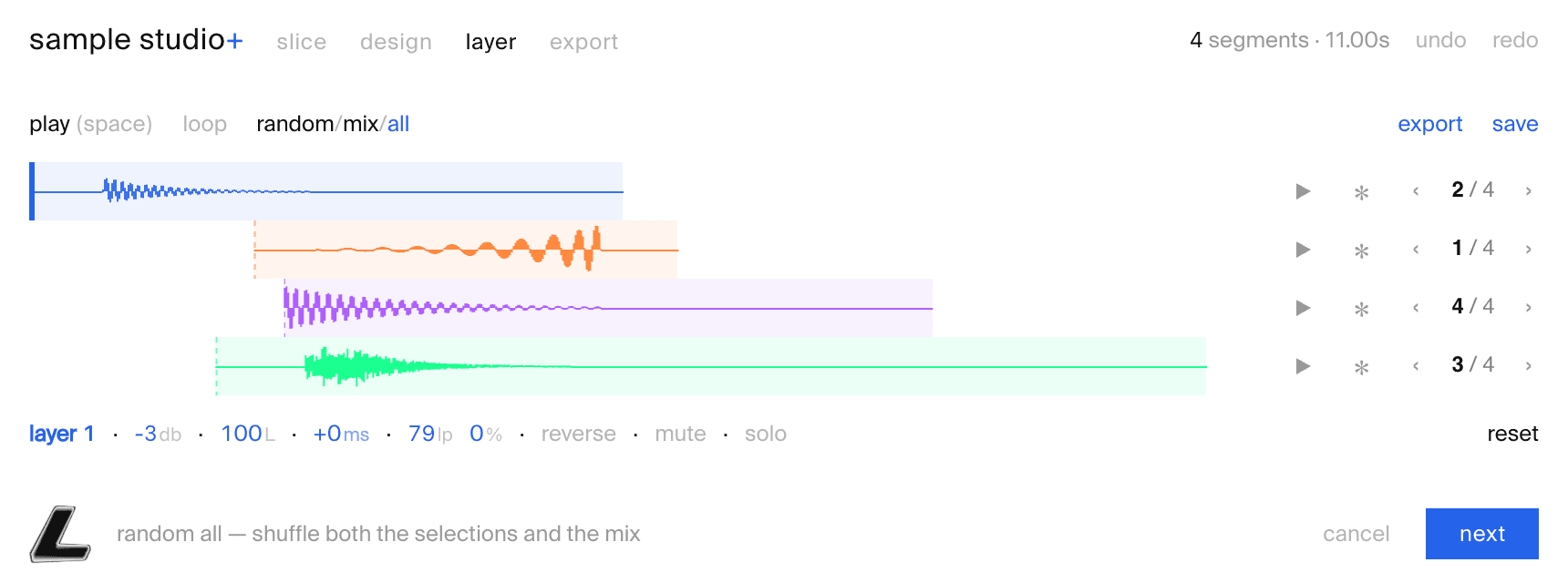
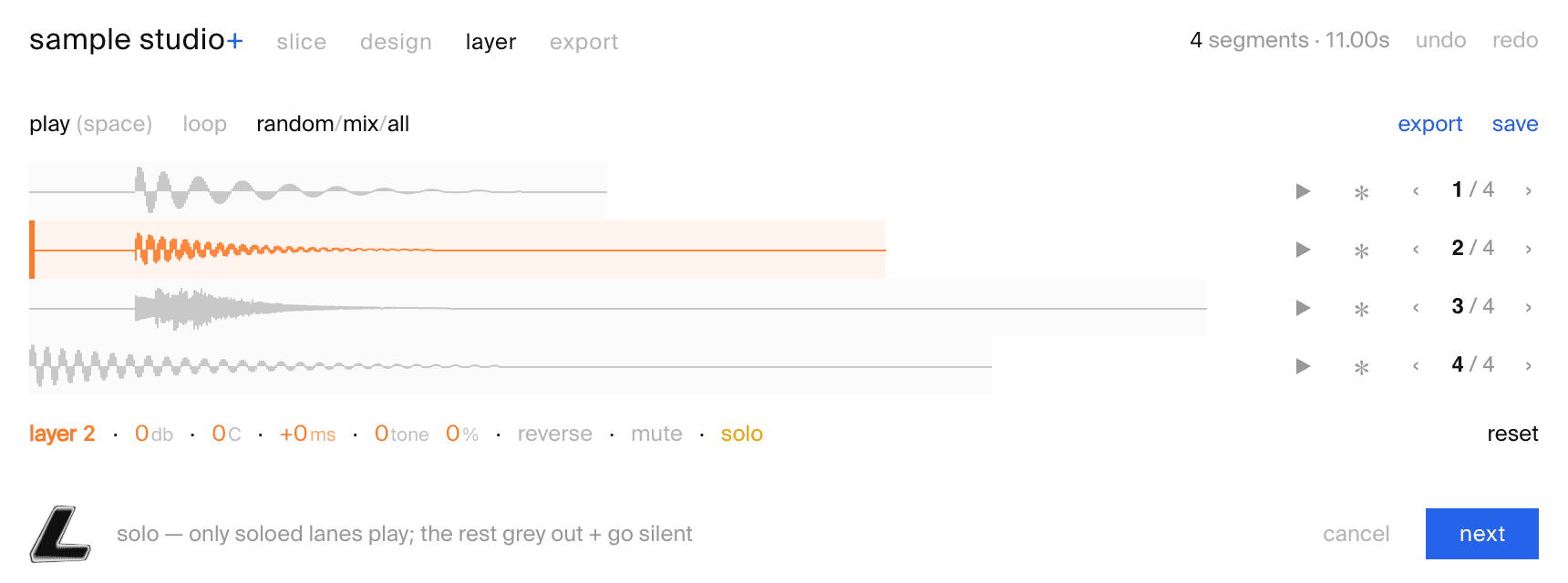
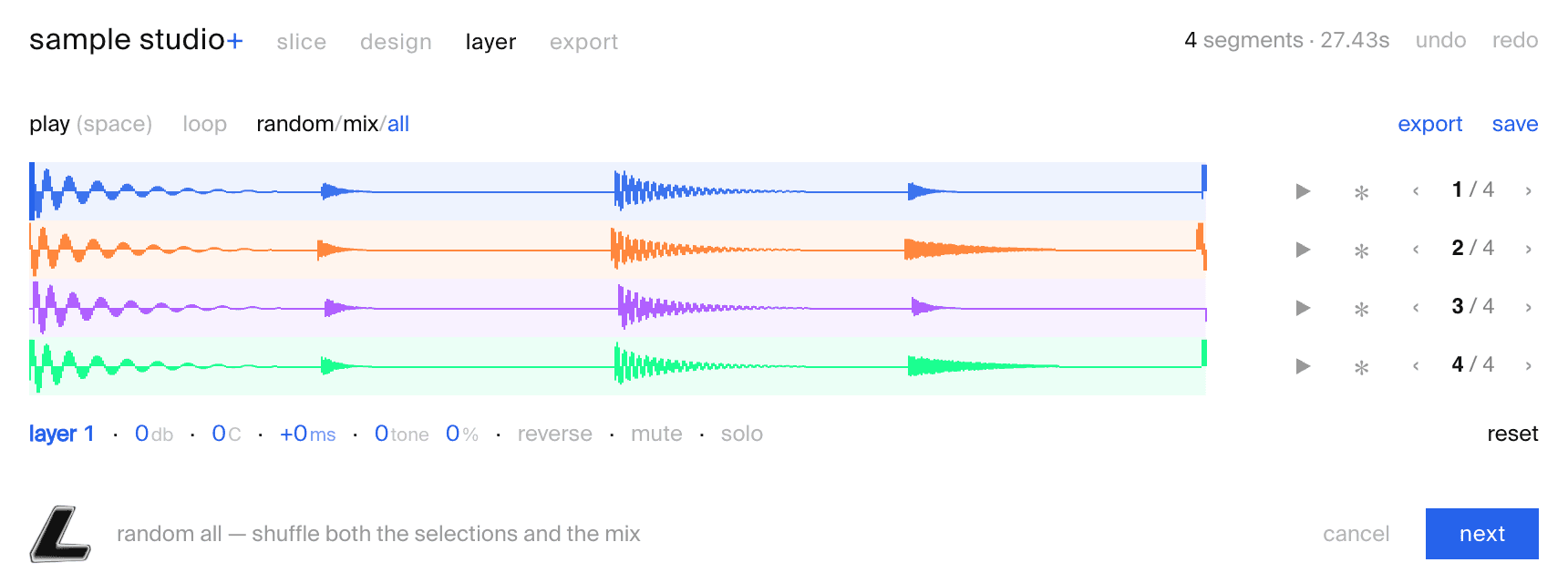
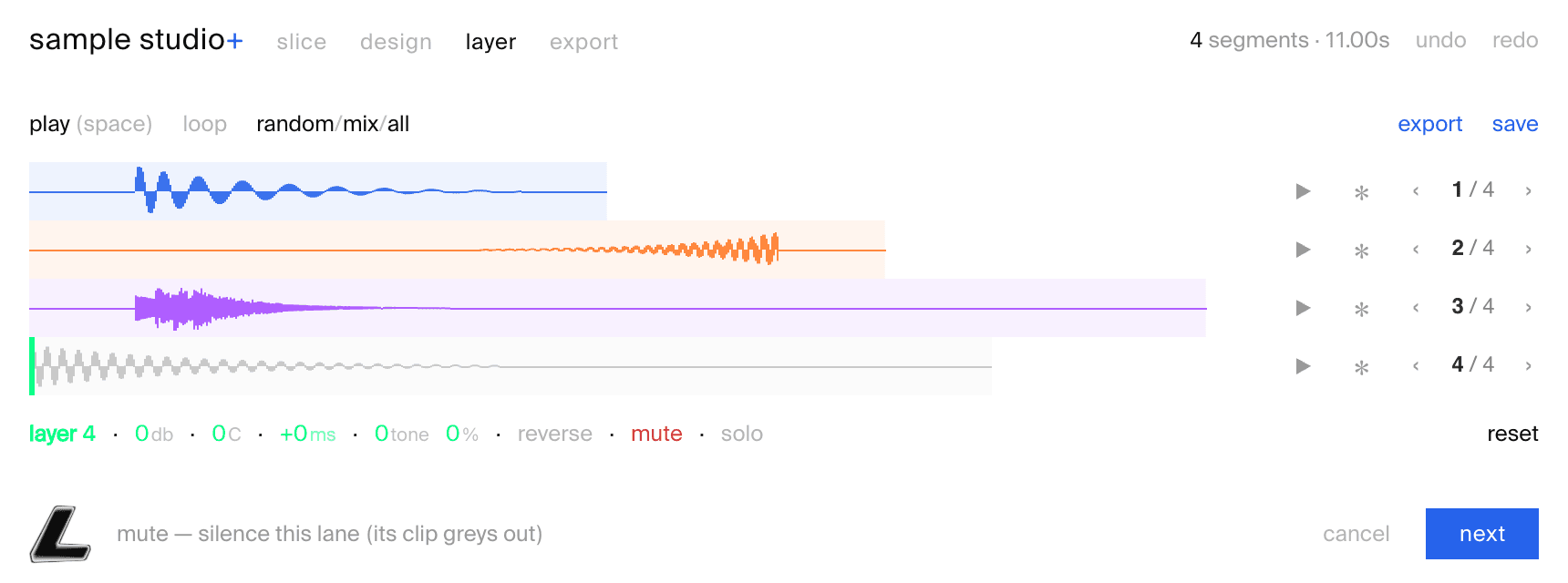
layer tab
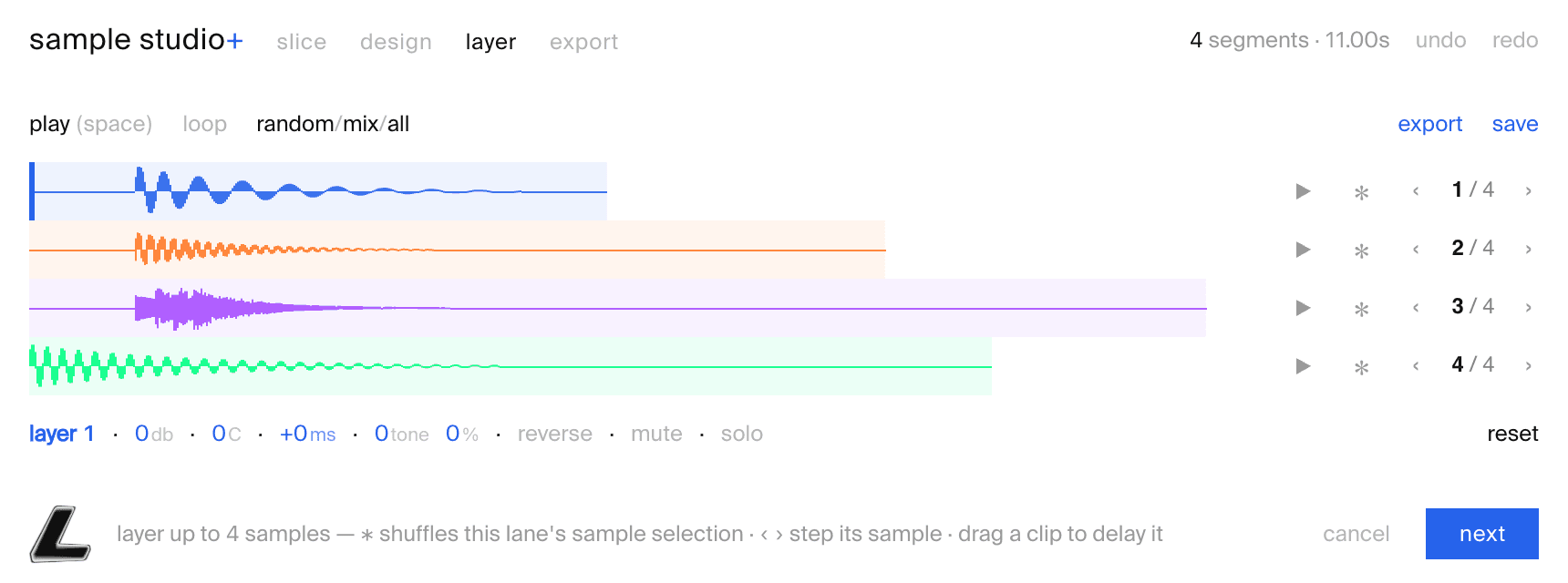
Stack up to four samples into one composite — per-lane mix, tone and reverse, with one-click randomise.
key detection
Tonal samples get their musical key read — Amin, F#maj — and written straight into the filename.
and more — spectral denoise · quick-export modes · per-sample export
one recording in, a finished pack out.
- —standalone + VST3 / AU, and the Ableton extension (.ablx)
- —macOS & Windows
- —lifetime updates
- —a 7-day free trial to Lux Cache
Lux Cache Full Access subscribers get 50% off — £19.50.
The Ableton extension requires Live 12 Suite (12.4.5+, currently an Ableton beta); the standalone and plugin do not. Secure checkout via Stripe — pay in your local currency.
studio+ bundle
sample studio+ for audio, midi studio+ for MIDI — plugins and Ableton extensions both, lifetime updates.
before you buy
Both, in one purchase. A standalone app and a VST3 / AU plugin (macOS: standalone + VST3 + AU; Windows: standalone + VST3), plus the .ablx extension for Ableton Live. Same tools either way — the extension adds the Live integration: open it with a right-click on a clip, and send a track of finished slices straight back into the session.
As of the new Live 12.4.5 Suite, extensions are single-file tools that plug into Ableton to improve workflows and native integrations. Find out more on Ableton’s site.
Install the standalone or the plugin from the download, or drag the .ablx straight into Ableton (Live 12’s Extensions SDK makes it a seconds-long job). From then on it’s one window either way: slice the recording, design each sample, layer several into one, tag and name them, and export. In Live it’s a right-click away on any audio.
macOS or Windows. The standalone runs on its own; the plugin loads in any VST3 / AU host. The Ableton extension is the one with a requirement of its own: Live 12 Suite (12.4.5 beta or later) with Extensions enabled, since extensions are a Suite-only feature.
Any audio file you point it at. Inside Live, anything with audio in it: an AudioClip (session or arrangement), a Sample, or a Simpler’s sample — right-click → sample studio+.
Every slice as an individually-named WAV (16/24/32-bit, mono or stereo), optionally sorted into per-tag folders with a manifest. Run it as the Ableton extension and you also get a new track of those clips laid out in your Live session.
It’s right roughly two times in three — a strong head start, not an oracle. Every slice has a one-click category override, so you skim, fix the few it misses, and move on. Strongest on kicks, snares, hats, bass and loops.
No — sample studio+ has no generative AI in it. Nothing is trained on other people’s music, and no audio ever leaves your machine. Sample analysis is signal processing — an FFT and a set of measurements like brightness, noisiness, attack and sustain — feeding a small decision-tree classifier that picks the family tag.
we’d love to hear about it! drop us a message at hello@luxcache.com
stop bouncing one-shots by hand
Lux Cache Full Access subscribers get 50% off — £19.50.